

Appearance
SOS and escalation
An SOS is the reason this product exists, so it is worth being precise about what the Hub promises and what it does not.
What always happens
When a device sends an SOS, the Hub stores it, publishes it, shows it on the map and starts the escalation chain you have configured. None of that depends on your plan. Not on a plan that has lapsed, not on being over your device limit, not on anything to do with billing. The device ceiling is checked when you register a device and nowhere else; it is not on the path a message travels. That is enforced by tests that fail the build if anyone moves it.
What does not happen by itself
Nobody is told unless you have said who to tell. The Hub will not guess a phone number. If no escalation chain exists, an SOS is recorded and displayed and nothing leaves the system. Setting a chain up is the part only you can do.
Building a chain
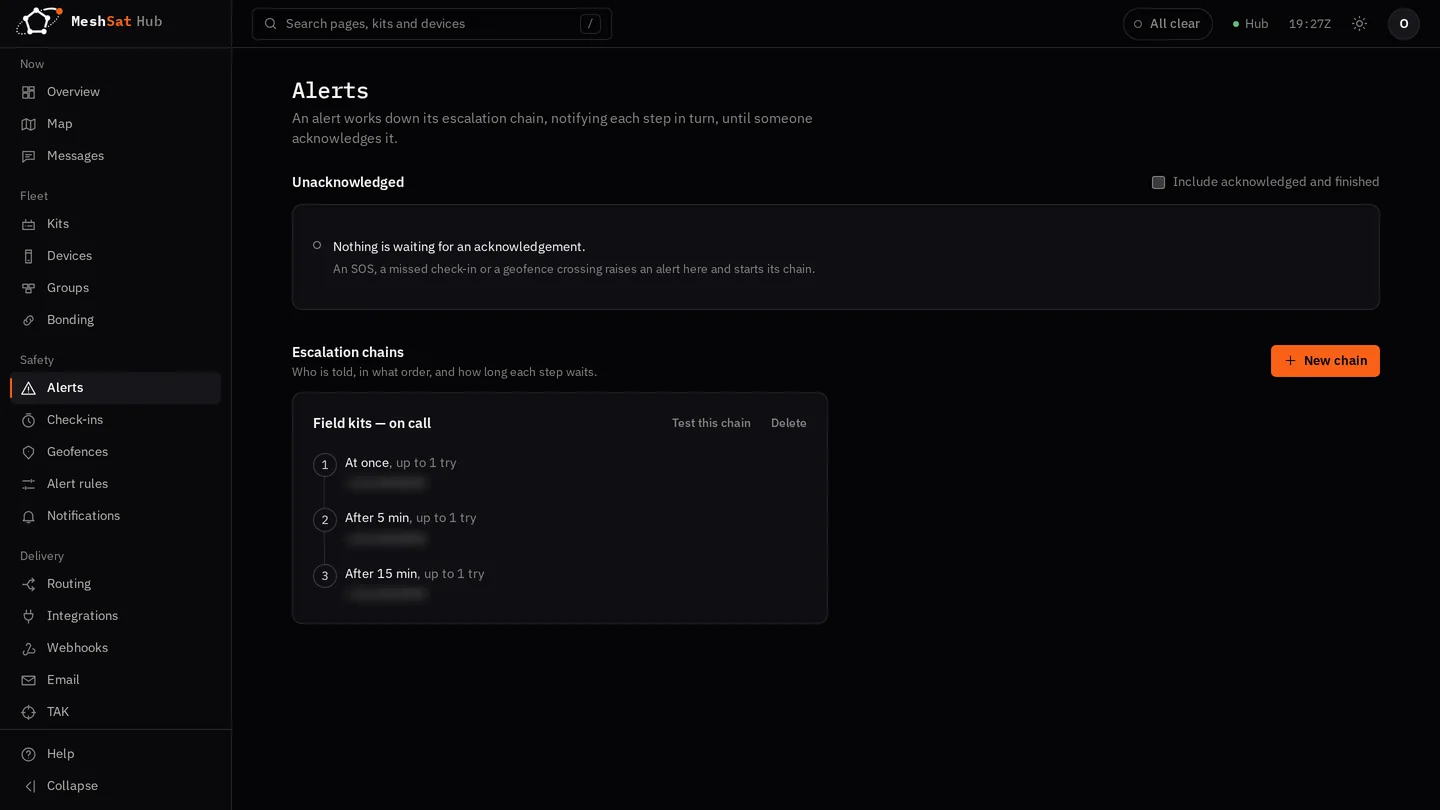
Open Alerts and choose New chain. A chain is an ordered list of steps, and each step has:
| Field | Meaning |
|---|---|
| Name | what this step is, for example sms_oncall or email_team |
| Targets | where to send, comma separated: a phone number goes by SMS, an email address by email, a URL through Apprise, a single word as an ntfy topic |
| Wait | seconds after the previous step before this one fires (the first step fires at once) |
| Tries | how many delivery attempts within this step before moving on |
The Hub works down the steps in order. It stops as soon as somebody acknowledges. If nobody does, it keeps going to the end of the chain and then leaves the alert unacknowledged: it stays at the top of the Alerts page and on the attention button at the top of every page until somebody acknowledges it.
A chain with one step and one phone number is a valid chain and is much better than none. Start there.
Where the messages actually go
Delivery uses your own accounts. SMS goes through the Twilio credentials you added under Settings, and satellite messages through your own Cloudloop or Rock7 account. See Provider accounts. If you have not added any, the Hub has no way to reach anyone and an escalation has nowhere to go.
An SMS alert comes from your Twilio number, or from a sender name such as MeshSat in the countries you list for it (see A sender name for alert texts). Nobody can reply to a name, so acknowledge an alert on the Alerts page, not by answering the text.
Test it
Do not wait for a real emergency to find out whether the chain works.
- Create the chain with your own number or address in the first step.
- Choose Test this chain on its card in Alerts. It is a real alert on that chain.
- Confirm it arrives, and acknowledge it on the Alerts page.
- Then add the second step and repeat, so you know the wait and the handover work.
A chain that has never been tested is an assumption.
Check-ins
Separately from SOS, a device can be required to check in: a dead man's switch. If it stops, the Hub raises an alert on the same escalation chains. Configure it under Check-ins. This catches the case an SOS button cannot: somebody who is unable to press anything.
Geofences
Under Geofences you can draw an area and alert when a device enters or leaves it. Geofence alerts use the same escalation chains, so the contacts and timings you set up once apply to all three: SOS, check-ins and geofences.