

Appearance
MeshSat Hub
MeshSat Hub is the hosted fleet manager at hub.meshsat.net. One place to watch every kit and device you run: which paths each kit can use right now, a live map, the full message log, routing between bearers, SOS escalation and a tamper-evident audit log.
You do not install it to use it. Create an account, we review it before it goes live, and your first sign-in puts you on the free plan of four devices.
Finding your way
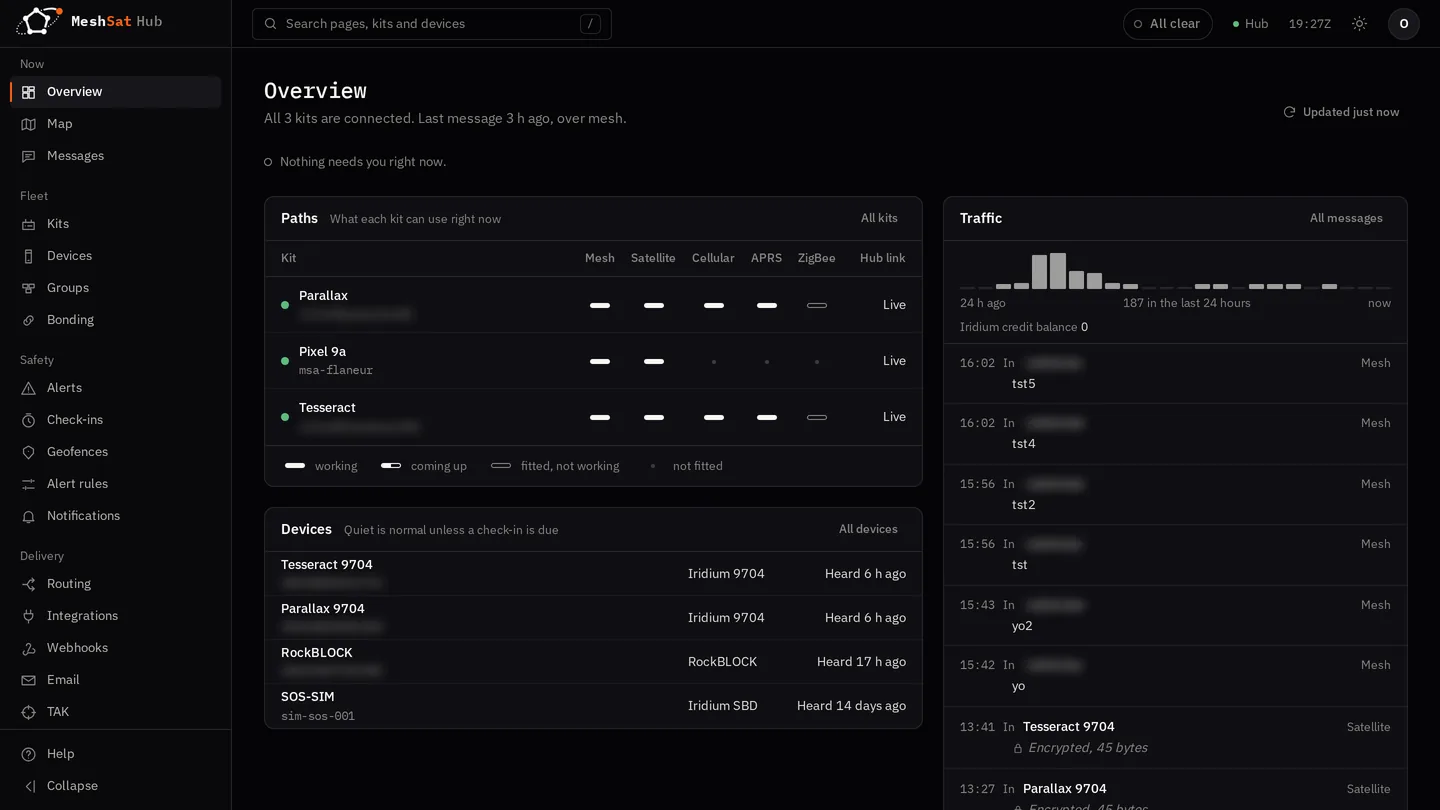
The menu on the left is grouped by what you are doing: Now (Overview, Map, Messages), Fleet (Kits, Devices, Groups), Safety (Alerts, Check-ins, Geofences, Alert rules, Notifications), Delivery (Routing, Integrations, Webhooks, Email, TAK, Costs), Network and Admin. A kit is a connected bridge: a Pi in a case, or a phone running MeshSat Android.
Every page carries a button at the top that says All clear when nothing needs you. When something does, it names it, most urgent first: an unacknowledged SOS or alert, a missed check-in, a kit that dropped off, a device at its send limit. You can acknowledge an alert from there without leaving the page you are on. Press / (or Ctrl K) to jump to any page, kit or device by typing part of its name or IMEI.
The Overview draws each kit as the paths it can use right now. A solid bar is a bearer that is working, a half-filled one is still coming up, an outline is fitted but not working, and a dot means the kit has no such hardware. A device that has been quiet for hours is shown as "Heard 3 h ago" and not as a fault: satellite devices report when they have something to say. Only a check-in that was asked for and missed is an alarm.
Start here
| Page | What it covers |
|---|---|
| Accounts and plans | Signing up, what each plan allows, upgrading, lapsing |
| Connect a bridge | The one thing to do first |
| Devices | Registering them, and what counts against your plan |
| Map and messages | The day to day surface |
| SOS and escalation | Who gets told, and how to test it |
| Provider accounts | Your own Cloudloop, Rock7 and Twilio |
| TAK | A TAK server of your own, or your own server |
| Your team | Invites and roles |
| Your data | Export, audit log, closing the account |
| Hub API | Doing all of it from a script |
| When something does not work | Where to look first |
Running your own Hub
Everything below this line is for deploying your own instance rather than using the hosted one. If you are a customer at hub.meshsat.net, none of it applies to you and none of these settings are yours to change.
How Hub differs from Bridge
| Aspect | Bridge | Hub |
|---|---|---|
| Runs on | Raspberry Pi or another small computer | A server, or Kubernetes |
| Devices | Connected directly over USB and serial | Managed remotely over MQTT and the API |
| Authentication | None (local device) | OAuth2/OIDC, API keys, local accounts |
| Multi-tenancy | No | Yes, with data isolation |
| Satellite access | Direct serial (9603N, 9704) | Through the providers' APIs (Cloudloop, Rock7, Globalstar) |
| Deployment | Docker Compose | Docker Compose on one server, or Kubernetes |
| Database | SQLite | SQLite on one server, PostgreSQL on Kubernetes |
Two shapes
The same binary runs in both; Self-hosting has the steps.
One server
A single Docker Compose stack: the Hub with SQLite, Mosquitto for the bridges, Caddy for TLS from Let's Encrypt, and a Tor hidden service. A notification relay, OpenTAKServer and Prometheus are optional extras. Right for a team, a region or an exercise.
Kubernetes
Two or more Hub replicas with lease-based leader election, PostgreSQL through CloudNativePG, and NATS as the MQTT broker, checking a client certificate for every bridge. This is the tree hub.meshsat.net runs from.
The two-host MariaDB Galera cluster that used to sit between these two was retired on 8 September 2026.
Multi-constellation satellite routing
The Hub routes messages through Iridium and Globalstar and picks the backend per device.
Routing strategies:
- Available: the first constellation with connectivity
- Cheapest: the lowest cost per message
- Fastest: Iridium first, for the lowest latency
- Preferred: a constellation chosen per device
Authentication and authorisation
Four auth modes:
none: development onlytoken: a simple bearer tokenlocal: built-in accounts with Argon2id password hashing and JWT sessionsoidc: an external OAuth2/OIDC provider, with JWKS verification and TLS certificate pinning
API keys carry a role (viewer, operator or owner), with optional expiry and usage tracking.
Tenant isolation via JWT claims or headers. Enforcement is optional.
Key features
- A REST API with Swagger documentation, see Hub API
- SOS escalation chains: notification in steps (push, SMS, email, call)
- Check-ins (a dead man's switch): alerts when a device misses its check-in
- Geofencing: polygon-based alerts with escalation
- A TAK server per account, or forwarding to your own TAK server
- APRS-IS IGate: positions into the amateur radio network
- Outbound webhooks on MO, SOS, position and MT status events
- Per-device rate limiting: a token bucket with burst, daily and monthly caps
- Device config versioning: YAML configs with their full history
- End-to-end encryption: AES-256-GCM keystores per device
- PGP email gateway: an encrypted email relay
- Tamper-evident audit log: an Ed25519 hash chain you can verify
- Backup and restore: full state export and import with a diff preview
- 90+ notification backends through Apprise, plus ntfy push
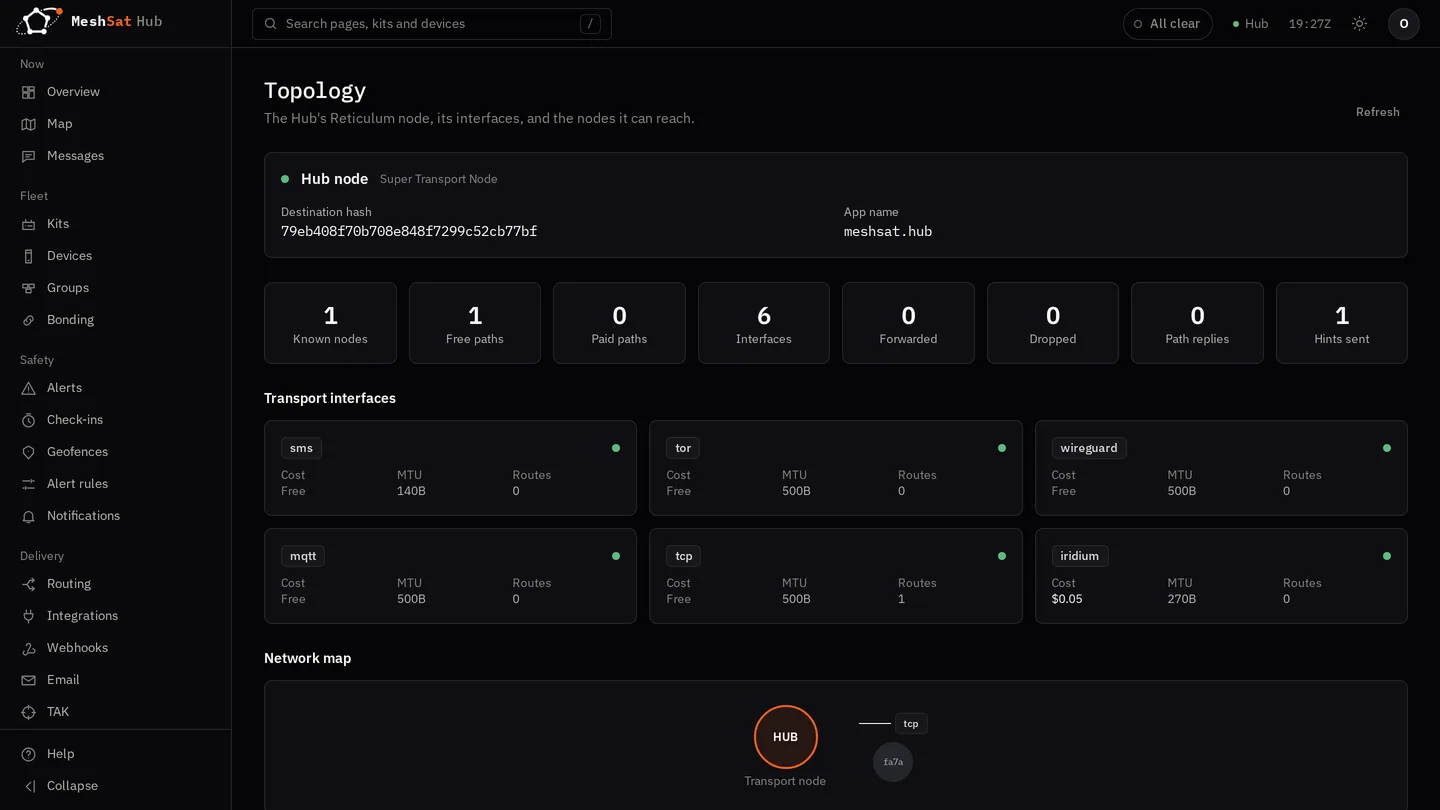
- Reticulum routing across all satellite backends; the Hub is a Reticulum transport node
- An LXMF address per workspace for Sideband, MeshChat and NomadNet users, private to the people you give its code to by default: see Reticulum
- WireGuard peer management and a Tor hidden service
- MPTCP concentrator for satellite plus cellular link aggregation
- MSVQ-SC decoder for messages compressed by MeshSat Android
Configuration
All settings use HUB_* environment variable prefix. See Configuration reference.